


“Whoever masters the Internet, masters the world…”
- Christophe Bonnefont
Alphonse de Lamartine wrote two centuries ago: “A single being is missing, and the whole world seems empty.” Yet at the beginning of this third millennium, isolation is rather the lot of the student, worker, or holiday-maker lacking a Wi-Fi connection!
In general, web browsers will provide varying levels of personalization and customization features. Some may require higher system resource usage, while others are relatively lightweight and have a smaller impact on system memory.


What Is A Web Browser?
One of the first things you will learn during your computer programming courses!
To surf the Web with an electronic device, you need a program that knows how to interpret the HTML and XHTML programming language, as well as PHP, JavaScript, Flash, etc… so that the webpages appear on your screen with the layout, graphics and fonts that the web programmers envisioned.
By definition, a browser is a graphic interface that downloads data (texts, images, videos, sound) to present it to the user.
The first browser dates to 1990: WorldWideWeb by Tim Berners-Lee. However, it was not until 1993 and NCSA Mosaic that images and tables could be displayed.
Generally, your computer has a pre-installed browser; this is why most people never think about it. However, the free market allows you to choose your means of surfing the Internet, even have several installed on your computer, and change whenever you want.
Problems with cookies, a virus, or recurring bugs can be good reasons for wanting to switch browsers. And, though some insist that having two different browsers leads to domestic problems, it is practical to have another browser on hand if a site doesn’t load properly on the one you are using.
In this article, we will compare Chrome, Mozilla Firefox, and Microsoft Edge, in the following three criteria:
Speed
Page Loading Speed: A fast browser should load web pages quickly. Browsers with efficient rendering engines tend to perform better in this regard.
JavaScript Performance: Modern websites rely heavily on JavaScript, so a browser with strong JavaScript performance will feel faster.
Customization
Extensions and Add-ons: The ability to customize your browsing experience with extensions and add-ons is essential. Browsers with a wide selection of extensions often score high in customization.
Themes and Appearance: Customizable themes, layout options, and the ability to tweak the browser's appearance contribute to a personalized experience.
Privacy
Tracking Protection: Browsers that offer built-in tracking protection or the ability to block third-party cookies and trackers enhance privacy.
Privacy Modes: Private or incognito modes that don't save browsing history or cookies can be vital for privacy-conscious users.
Security Updates: Frequent security updates and a strong commitment to user data protection are key factors in ensuring privacy.
Top Internet Browsers In 2023
Google Chrome
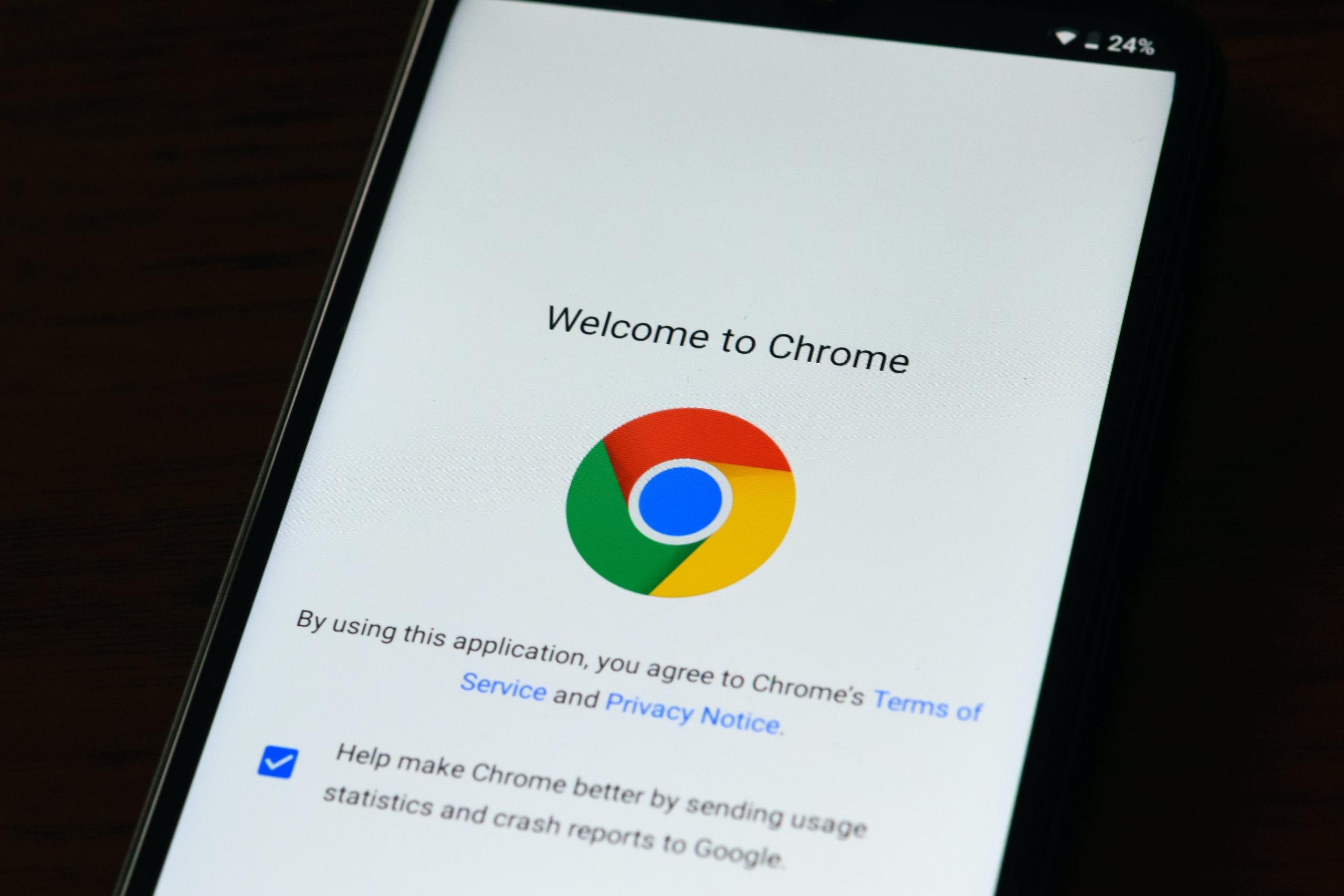
As of 2023, Google Chrome has around 63% market share among the available internet browsers available in the market, making it the most popular browser for users across the world.
Positives Of Google Chrome
- The Chrome browser seamlessly integrates with various other Google products, including Google Drive, Google Sheets, and Google Docs, without requiring manual configuration.
- You can add to Chrome's functionality by adding Chrome extensions such as Google Translate, Google Trends etc
- Built-in DNS feature: Tells you if your e-mail ID is compromised.
Negatives
- Can consume a lot of CPU and RAM.
- A lot of consumers don't feel comfortable with Chrome's privacy policies
Features Of Google Chrome That Users Appreciate:
Speed and Performance: Chrome is known for its speed and efficient page loading, thanks to its V8 JavaScript engine and advanced rendering capabilities.
Synchronization: Chrome allows users to sign in with their Google account, which syncs their bookmarks, history, settings, and extensions across multiple devices, such as computers, smartphones, and tablets.
Customization: Users can personalize Chrome with themes and a variety of extensions and apps from the Chrome Web Store, enhancing the browser's functionality and appearance.
Incognito Mode: This private browsing mode enables users to browse the web without Chrome saving their browsing history, cookies, or site data.
Tab Management: Chrome offers features like tab grouping, pinning tabs, and a tab overview to help users manage multiple open tabs efficiently.
Password Manager: Google Chrome can store and autofill passwords, making it more convenient for users to log in to websites.
Security: Chrome is regularly updated with security patches, and it has built-in malware and phishing protection. It also warns users about potentially harmful websites.
Safe Browsing: Chrome's Safe Browsing feature helps protect users from dangerous websites and downloads by displaying warnings when visiting malicious sites or downloading harmful files.
Task Manager: Users can access Chrome's built-in Task Manager to monitor and manage the browser's memory and CPU usage. This can be helpful in identifying and closing resource-intensive tabs or extensions.
Mozilla Firefox
Firefox is renowned for its customization options and strong privacy features, including enhanced tracking protection.
Positives Of Mozilla Firefox
- Offers users incredible flexibility
- Better than Google Chrome in terms of privacy
- Informs users if their e-mail ID is breached
Negatives Of Mozilla Firefox
- Slower in terms of usage than Google Chrome
- Utilizes a lot of RAM
- Not compatible with a few websites
Features Of Mozilla That Users Appreciate
Customization: Firefox offers a high degree of customization, allowing users to personalize their browser with various themes, extensions, and add-ons from the Firefox Add-ons store. This makes it easy to tailor the browsing experience to individual preferences.
Privacy and Security: Firefox places a strong emphasis on user privacy and security. It includes features like Enhanced Tracking Protection, which blocks third-party trackers, and strict cookie controls. Additionally, it offers a password manager and a master password option for added security.
Speed and Performance: Mozilla has made significant improvements to Firefox's speed and performance. It uses the Quantum engine, which enhances page loading and responsiveness.
Reader View: Firefox offers a reader mode that simplifies the layout of web pages for a distraction-free reading experience. It removes ads and other clutter, making it easier to focus on the content.
Tab Management: Users can manage their tabs efficiently with features like tab grouping, the ability to pin tabs, and a built-in tab overview.
Sync and Account: Firefox allows users to create a Firefox account to sync bookmarks, browsing history, passwords, and open tabs across different devices. This ensures a consistent browsing experience.
Pocket Integration: Firefox integrates with the Pocket service, allowing users to save articles and web pages for offline reading. This feature is especially popular with readers who want to catch up on content later.
Microsoft Edge
This browser combines speed with Microsoft's commitment to privacy. It has good customization options and a growing library of extensions.
Positives Of Microsoft Edge
- In terms of speed, one of the fastest browsers available for users
- Very clear with privacy policies
- Customization options are good, and work very well with MacBook.
Negatives Of Microsoft Edge
- Very Windows-centric
- May not work on certain laptops that are slower than 1 GHz of processing capability
Features Of Microsft Edge That Users Appreciate
Speed and Performance: Microsoft Edge is known for its fast page loading and smooth performance, thanks to the Chromium engine, which powers the browser.
Integration with Windows: Edge seamlessly integrates with the Windows operating system, offering features like Cortana, Task View, and the Windows Start menu integration.
Built-In Cortana: Microsoft's digital assistant, Cortana, is integrated into Edge, allowing users to perform voice-activated searches, get quick information, and set reminders directly from the browser.
Customization: Users can customize their browsing experience with extensions and themes available through the Microsoft Edge Add-ons store.
Tracking Prevention: Edge includes enhanced tracking prevention, which allows users to control and block third-party trackers, enhancing online privacy.
Password Monitor: The browser has a built-in password monitor that notifies users if their saved passwords have been compromised in data breaches.
InPrivate Browsing: Similar to incognito mode in other browsers, Edge offers InPrivate browsing, which allows users to browse without saving history, cookies, or form data.
Reading View: Edge has a reading view feature that simplifies web page layouts for a distraction-free reading experience.
See the best IT courses after 12th grade.
How To Choose the Best Web Browser?
Your average user mostly wants to use the Internet to consult or create web content.
However, the question of which browser is the best is largely subjective.
With the help of this table, you will be able to choose and install a version that will run smoothly and be compatible with your system.
After that, you will need to make up your mind. Different browsers will work better depending on your RAM, what kind of computer security you have (firewall or antivirus - there are good free antiviruses out there like Avast), and what kind of pop-up blocker plug-in you want to use.
You can look at statistics where those who habitually surf the Internet express their preferences; but there is no easy solution, especially since everyone surfs differently: watching lecture videos on YouTube, listening to Internet radio, visiting insecure sites, posting on programming forums, getting a computer science degree in an online degree program….

Depending on what smartphone or tablet you have, the system bugs won’t all be the same. For example, Opera Mini has the advantage of limiting the temporary files in your cache.
There are some reflexes you should train to avoid inconvenience - have only one default browser, uninstall any malware or spyware (if you suddenly have a different startup page or homepage, that’s an important clue), avoid clicking on advertisements (even consider using something like Adblock), regularly empty your browser cache and delete your browser history, get a better antivirus, don’t install unnecessary plug-ins, be wary of supposed “new functions”, set up your advanced settings, install a new browser or re-install the old one if it becomes unusually slow or crashes regularly.
Either way, don’t forget to monitor your add-ons and protect your private life. This is particularly important if you are using Google rather than an alternative search engine such as DuckDuckGo, as your data is gathered to tailor ads to your tastes depending on where you surf!
A good free browser should also offer good parental control, run smoothly no matter how many tabs you have open, and offer the possibility of synchronizing a new version with the old one.
Upcoming Internet Browsers In 2023
Vivaldi
Vivaldi is highly customizable, with options to tweak the interface and behavior to suit your preferences. It takes privacy seriously and includes various privacy-focused features.
Positives
- Highly Customizable: Vivaldi is one of the most customizable browsers available, allowing users to adjust the interface, themes, and even mouse gestures to suit their preferences.
- Built-in Tools: It comes with several built-in tools, such as a note-taking feature, a screenshot tool, and a side-panel for quick access to bookmarks, downloads, and more.
- Tab Stacking and Tiling: Vivaldi offers a unique tab management system that allows users to stack and tile tabs, making it easier to organize and view multiple web pages simultaneously.
- Mouse Gestures: Vivaldi's mouse gesture support enables users to perform various actions with simple mouse movements, increasing browsing efficiency.
- Extensions Support: While Vivaldi has its unique features, it also supports Chrome extensions, providing users with a wide range of additional functionality.
- Privacy Features: Vivaldi includes privacy-focused features like a built-in ad blocker, tracker blocking, and the ability to block scripts and cookies selectively.
Negatives:
- Learning Curve: The high level of customization and the unique features in Vivaldi can create a steep learning curve for new users who may find it initially overwhelming.
- Resource Intensive: Vivaldi's extensive feature set and customization options can make it more resource-intensive than some other browsers, potentially leading to higher memory usage.
- Limited User Base: While Vivaldi has a dedicated user base, it's not as widely adopted as browsers like Chrome, Firefox, or Edge, which means there may be fewer available extensions and community support.
- Interface Preferences: Some users may find Vivaldi's user interface less intuitive or visually appealing compared to other browsers. Its interface design can be polarizing.
Brave
Built with privacy in mind, Brave blocks ads, and trackers by default. It also offers a variety of extensions and has a focus on speed.
Positives
- Privacy-Centric: Brave is designed with a strong emphasis on user privacy. It blocks ads and trackers by default, providing users with a more private and secure browsing experience.
- Built-In Ad and Tracker Blocking: The browser's built-in ad and tracker blocking features enhance page loading speed, reduce data consumption, and protect users from invasive tracking.
- Brave Rewards: Brave Rewards is a unique feature that allows users to opt into viewing privacy-respecting ads in exchange for Basic Attention Tokens (BAT). Users can support their favorite content creators with BAT tokens.
- Customization: While it focuses on privacy, Brave is still highly customizable, with support for extensions and themes, enabling users to tailor their browsing experience.
- Fast and Secure: By blocking ads and trackers, Brave can load web pages faster, which can be especially noticeable on slower internet connections. This also contributes to a more secure browsing experience.
- Developer-Friendly: Brave is open-source, which makes it appealing to developers who want to contribute or build upon the browser's code.
Negatives
- Limited Extension Support: While Brave supports some Chrome extensions, its selection is more limited compared to mainstream browsers like Chrome and Firefox.
- Compatibility Issues: Some websites may not work correctly with Brave's ad and tracker blocking, leading to occasional compatibility issues. Users might need to adjust settings or switch to a different browser for such sites.
- BAT Ecosystem: While the BAT ecosystem is a positive feature for some, others may find it complex or unnecessary, especially if they are not interested in supporting content creators via cryptocurrency.
- Resource Usage: While Brave is generally efficient, it can still consume a significant amount of system resources, especially if users open numerous tabs or run resource-intensive web applications.
- UI Preferences: Some users may not find Brave's user interface as intuitive or visually appealing as other browsers. Its design may be a matter of personal preference.
Still have questions? Check out our beginner computer courses!
A Guide To Web Security and Computer Safety, which has become an issue in 2023, with new-age applications utilizing and requiring personal information, it is important to understand the basics of being safe on the internet.
Summarise with AI:
Did you like this article? Leave a rating!

 Loading...
